How to configure NFC task in vDesign with complete explanation?
1 Like
This task allows users to utilize NFC technology, which stands for Near Field Communication for data sharing and ID scanning. During an NFC read operation, the device acts as an NFC reader while the tag, which can be stickers, cards, or other passive devices, is the information source. This task opens up new possibilities for seamless interactions and data exchange within your applications.
@Harshit, If this answer resolves your query, please mark it as the “solution.” If not, feel free to ask any further questions.
1 Like
@AnushkaGupta I got your point Thanks for explaining can you please explain the configuration of this task as well?
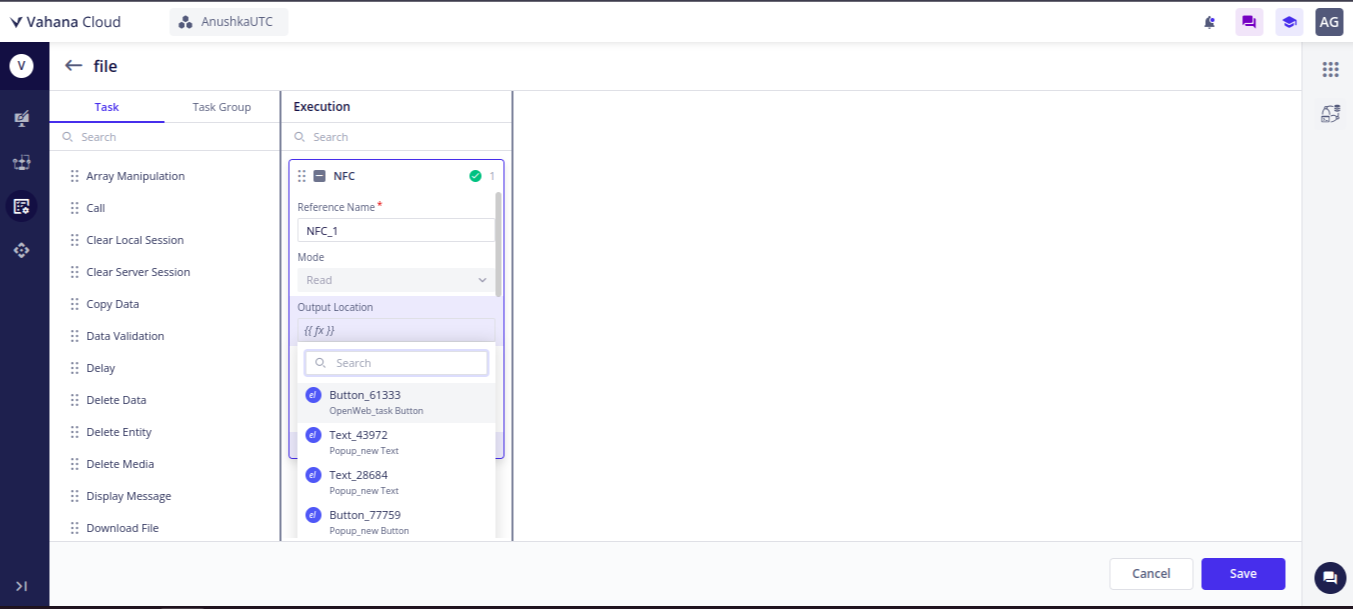
To configure the NFC task.
You just have to map an entity or an element in the Output Location parameter where you want to show or visualize the information from the other device.
2 Likes
Ok got it thanks @AnushkaGupta