What is the difference between custom label and default value , under the text element.
27 Likes
Default value: You can configure the default value that the element will display to the user. This value will be displayed in the text field when the page loads.
In the Default Value field: You can either enter the default value manually as a string or you can use the getVal() function to fetch the value from the data source.
Custom label: In this field, enter the value that the application will fetch from the element’s data source and display it in place of the element’s name. You can use the getVal() function here.
For instance, If the user wants to concatenate a string and show it as Label, then in Custom Lable field enter the following function: CONCAT(“Hi”, “getVal(‘userId’)”)
28 Likes
Difference between default value and custom label is that the default value will be seen as a default value inside the text field and Custom label will be seen as the label of that text field.
For your reference, check the images mentioned below:
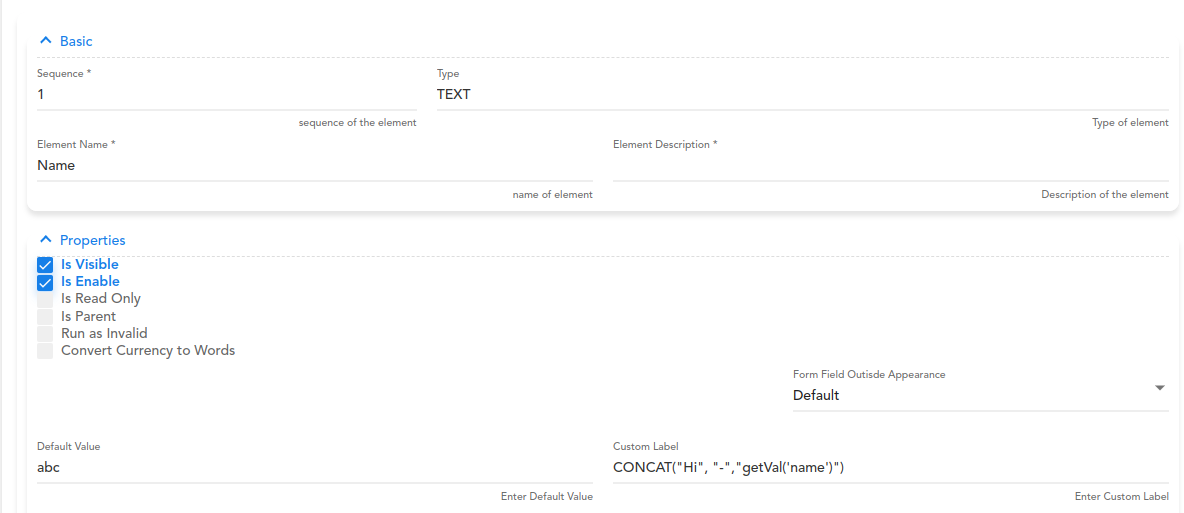
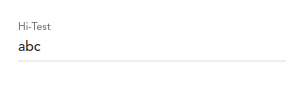
Here, abc is the default value and Hi- Test is the Custom Label
31 Likes
As you have used Concat in custom label, does this work in default value too ?
26 Likes
Yes, CONCAT works in default value too
28 Likes