 New Features
 Secure Environment Variables
Added support for Secure environment variables with masking and configurable location for setting environment variables value (Vahana Cloud or IT Ops) enhancing app security.
To use this, please ensure your VRT details are up to date in Vahana Cloud. You can verify this by clicking the “View VRT Details” for the respective VRT on VRTs (Vahana Run Time) page in the Environments module in PM Portal. Access to new features will depend on the VRT version updated in Vahana Cloud.
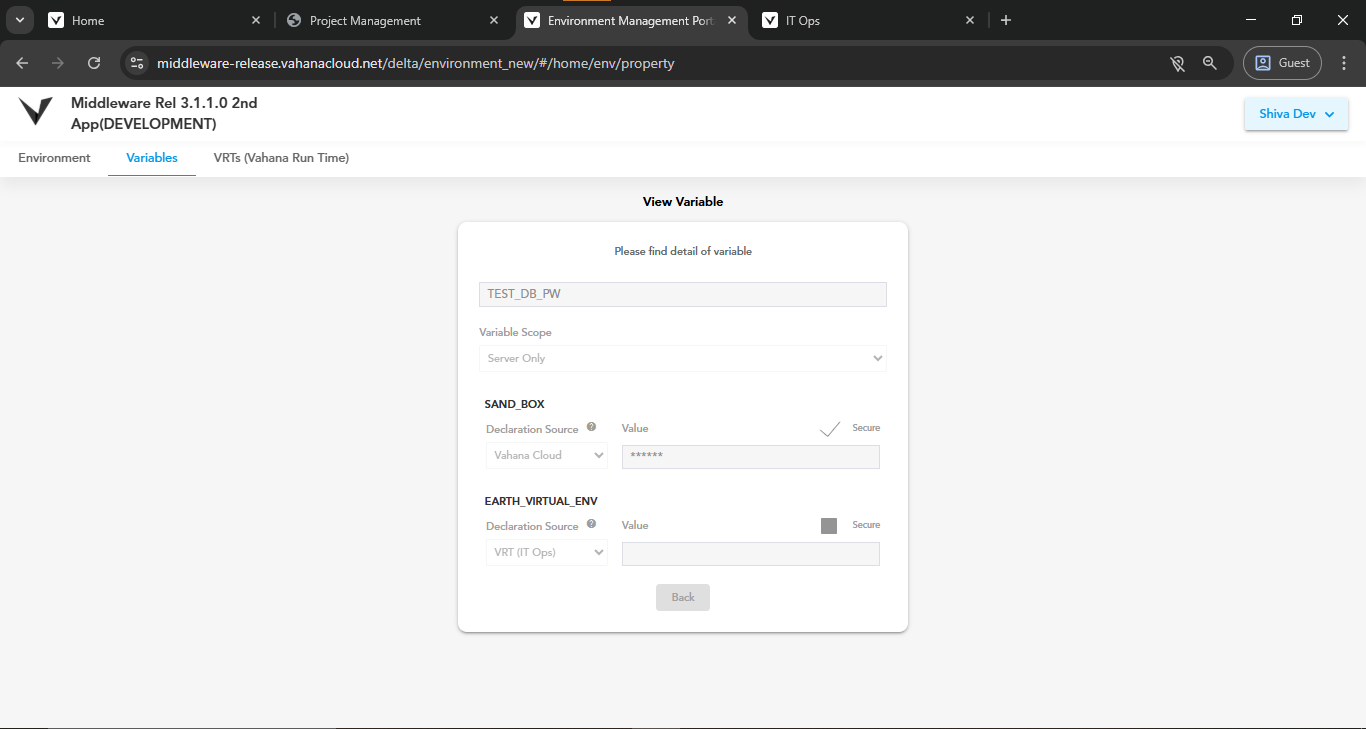
Fig 1: New Create Environment Variable popup
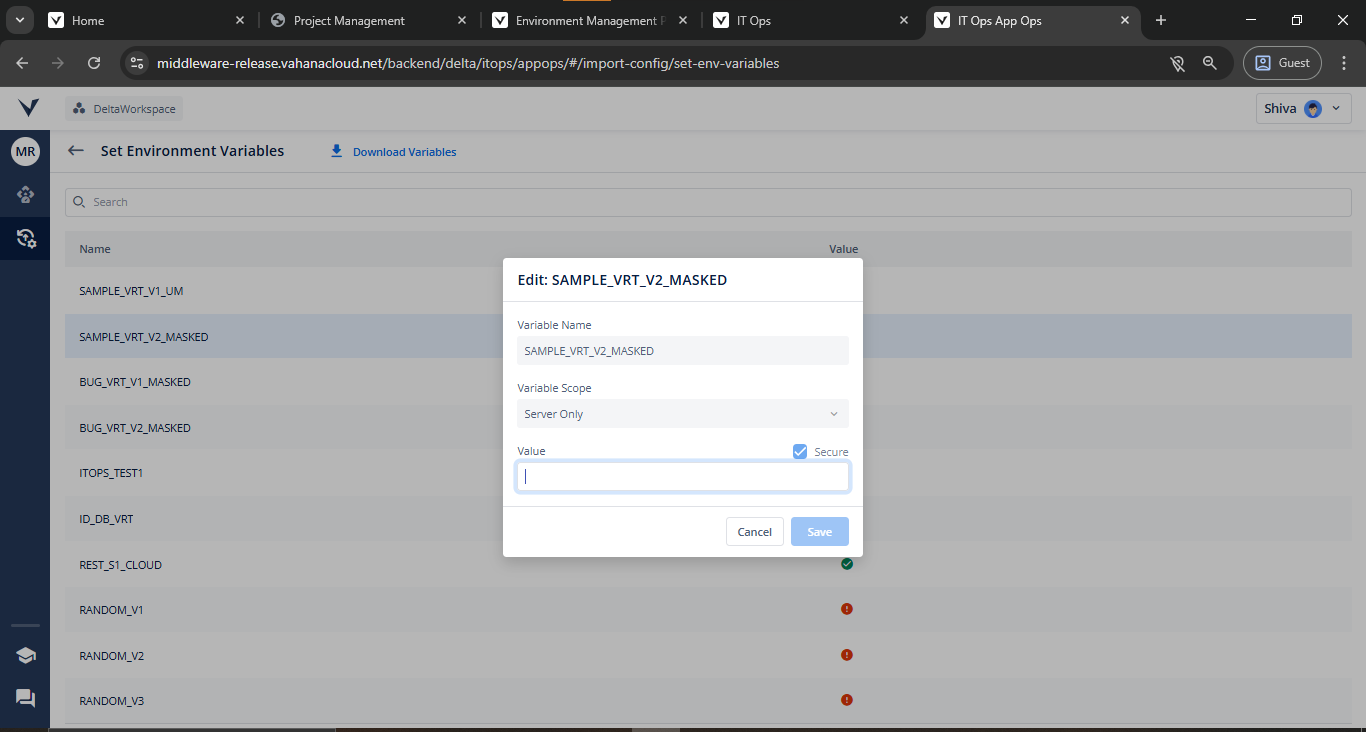
Fig 2: Set Environment Variables page in IT Ops
 Enhancements & Improvements
 Auto-Permissions for New Branches
Newly created branches in Config Manager now automatically inherit access permissions from their source branch, reducing manual setup.
Developer Logs UX Improvements in IT Ops
-
Retained Log Position: Navigating back to the log list now restores your previous position instead of resetting to the first entry, saving time and effort.
-
Clearer Navigation Buttons: “Previous Log” and “Next Log” have been renamed to “Newer Log” and “Older Log” to better reflect expected behavior.
SQL Injection Protection in vConnect
Enhanced vConnect security with improved handling of SQL injection scenarios in Database API, ensuring safer query execution.
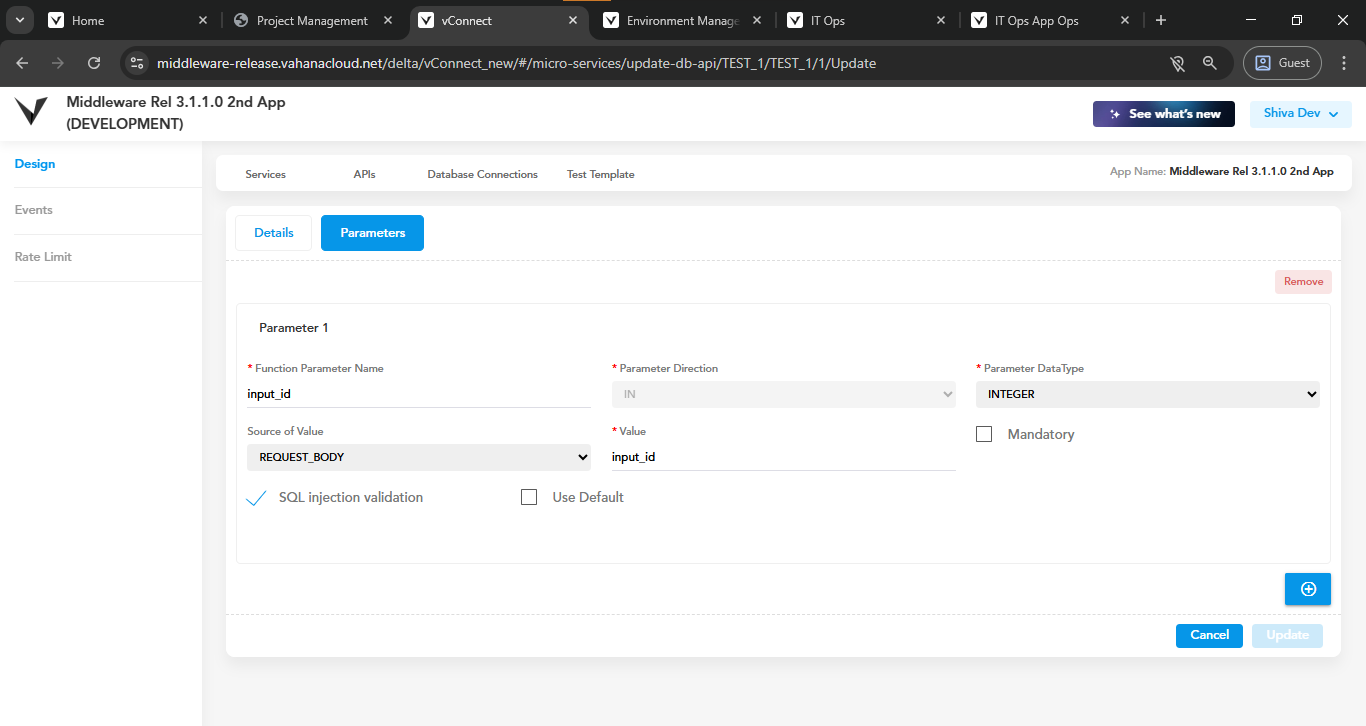
Fig 3: Create Database API page in vConnect
Manual DB Entry in vConnect
You can now manually input Function/Procedure names in vConnect DB API when database connections fail, eliminating the previous frustrating experience with Database API due to non-establishment of DB connection.
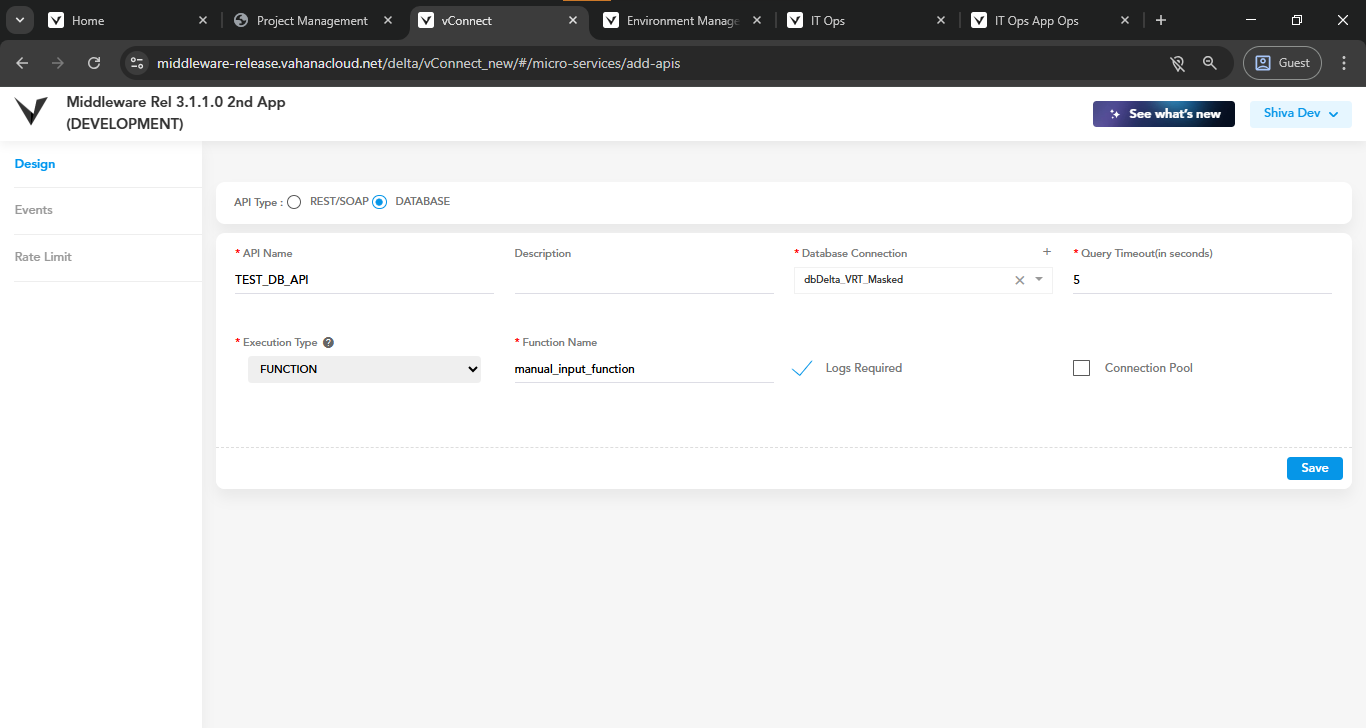
Fig 4: Create Database API page in vConnect
Last Modified By for Services & APIs
Services and APIs in vConnect now display a “Modified By” column, making ownership and change tracking clearer.
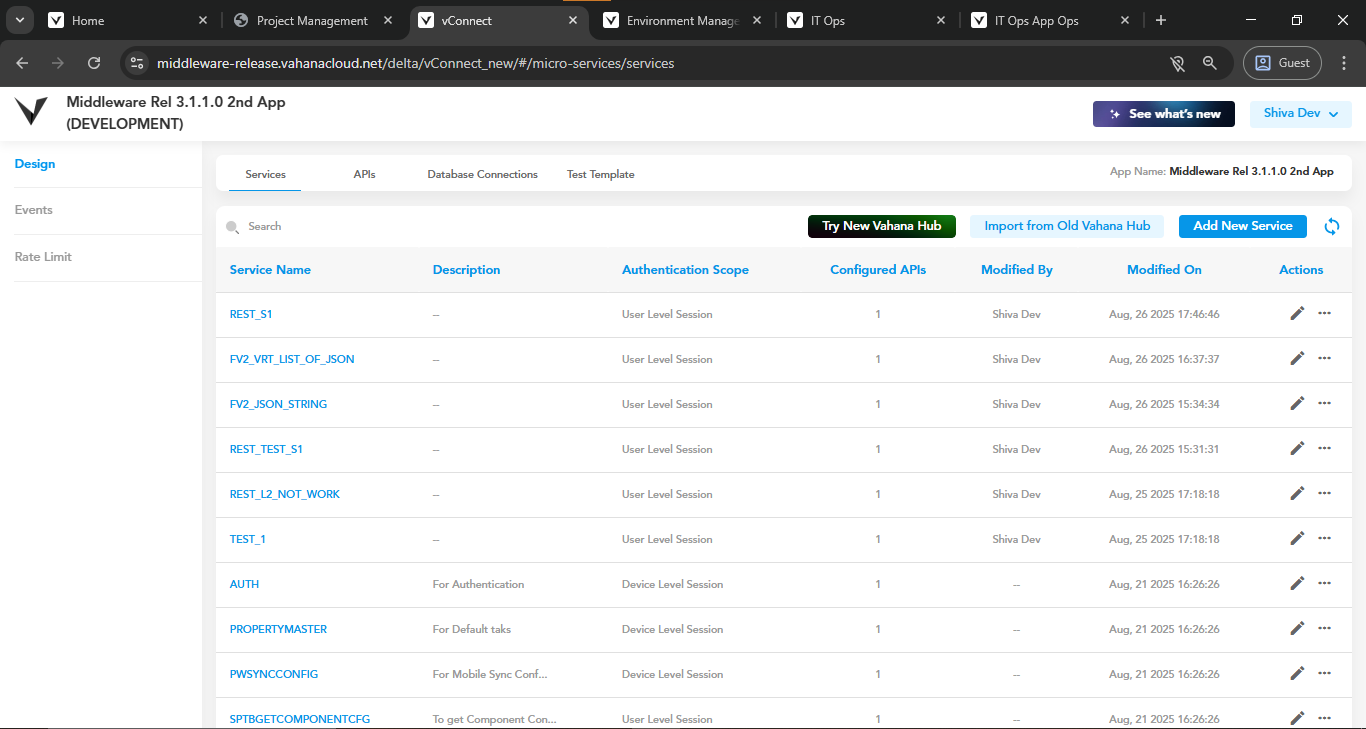
Fig 5: Services page in vConnect