vDesigner 2.0
 New Features
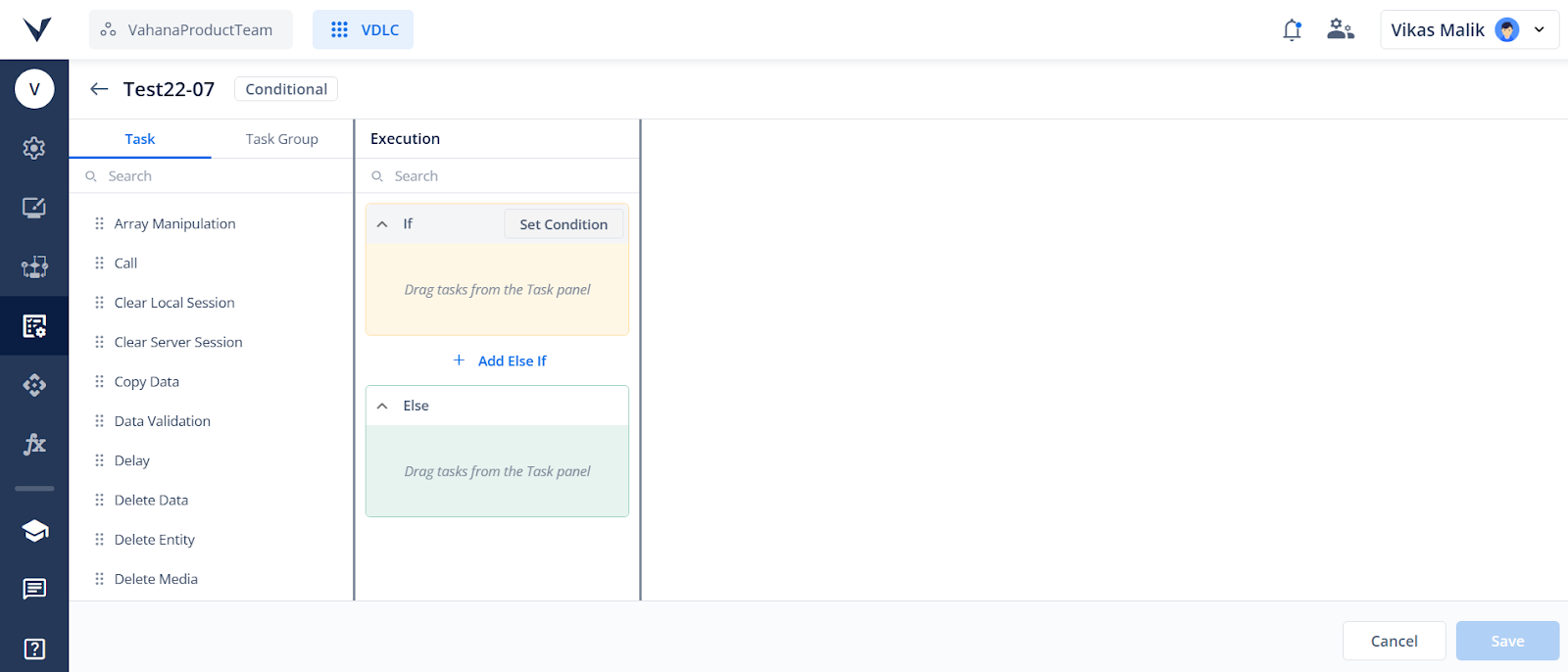
 Introducing If-Else Logic in vDesigner
We’re excited to roll out a new enhancement to vDesigner — support for Conditional Task Groups and a brand-new If-Else Task.
Now you can structure workflows using if, else if, and else blocks, allowing you to define conditions using Business Rules (BRs) at the block level rather than at each individual task. This results in simplified configurations, reduced redundancy, and better runtime performance — as tasks in blocks with unmet conditions are automatically skipped.
What’s New:
- Conditional Task Group: A new task group type to design if-else logic flows.
- If-Else Task: Add conditional logic within existing task groups.
 Use Cases:
- Approval Workflows: Auto-approve, escalate, or route requests based on thresholds.
- Customer Support: Route tickets by priority — urgent, standard, or low.
Note: Existing task groups will now appear as type “Sequential” to distinguish them from the new “Conditional” type.
Click here to know more.
Video Player Component is Here!
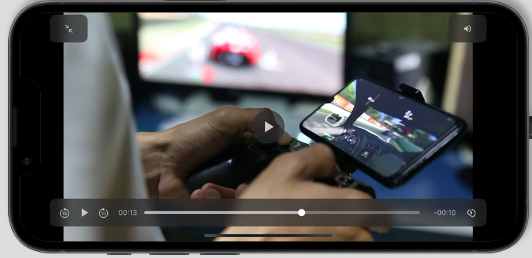
Introducing the all-new Video Player in vDesigner — built for flexibility, control, and performance.
 Key Highlights
-
Source Flexibility:Play videos directly via URL or select from Asset Manager for seamless integration.
-
Smart Playback Controls: Customize playback with options like Autoplay, Looping, Fullscreen toggle, Speed control, and Aspect Ratio settings.
-
Event Integration: Trigger dynamic interactions using onPlay, onPause, and onComplete events — perfect for workflows, tracking, or analytics.
-
Asset Manager Ready: Upload, preview, and manage your video files effortlessly — complete with metadata support and usage insights.
-
Responsive by Design: Choose from predefined aspect ratios to ensure your videos look great across all screen sizes.
Click here to know more.
Fallback Task Group for Smarter Error Handling
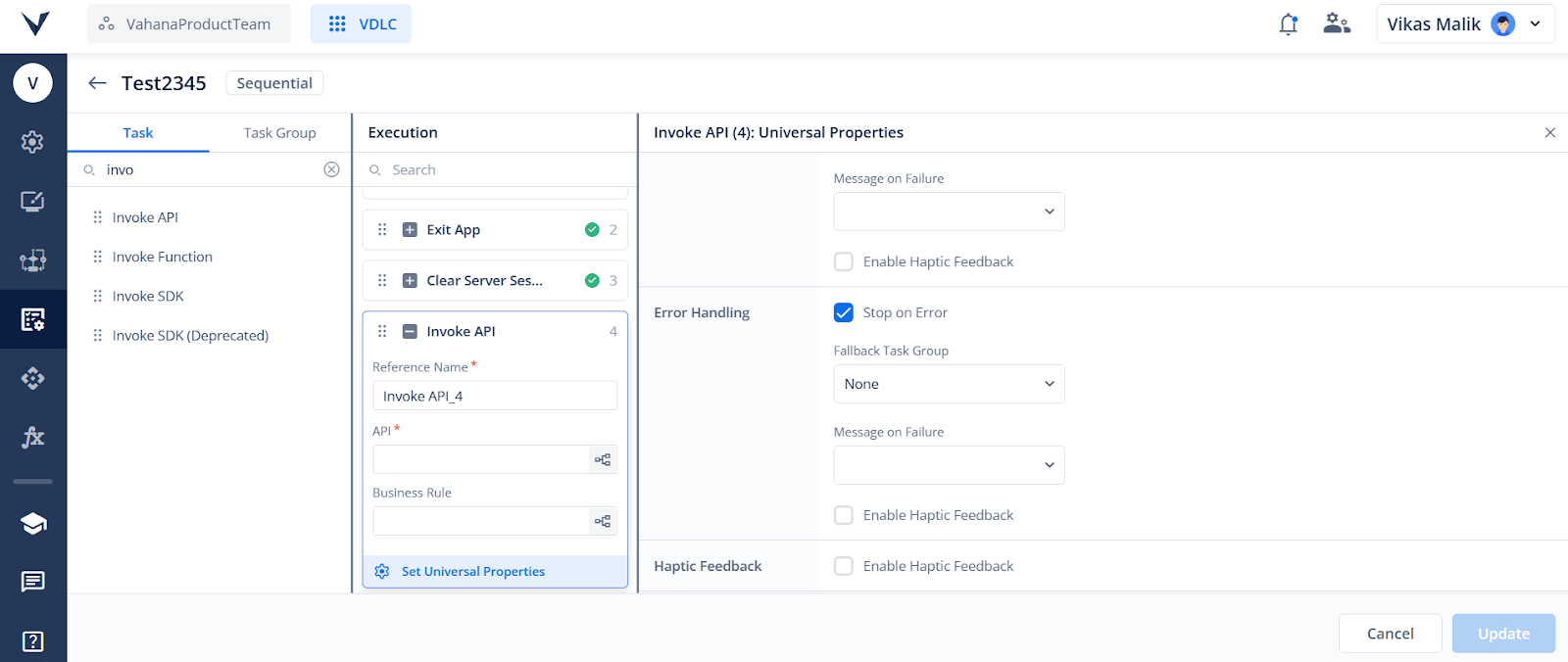
Introducing the “Fallback Task Group” parameter in task configurations. This allows users to assign a secondary task group that will execute automatically if an error occurs during task execution — ensuring your flows remain resilient and do not halt unexpectedly.
Key Highlights
- One Fallback per Task: Configure a single fallback task group to prevent execution conflicts.
- Trigger on Error: Executes only when “Stop on Error” is checked and an error occurs.
- Graceful Failover: If no fallback is defined, standard error handling applies.
Click here to know more.
Angular Wrapper Integration for Faster PWA Load Times
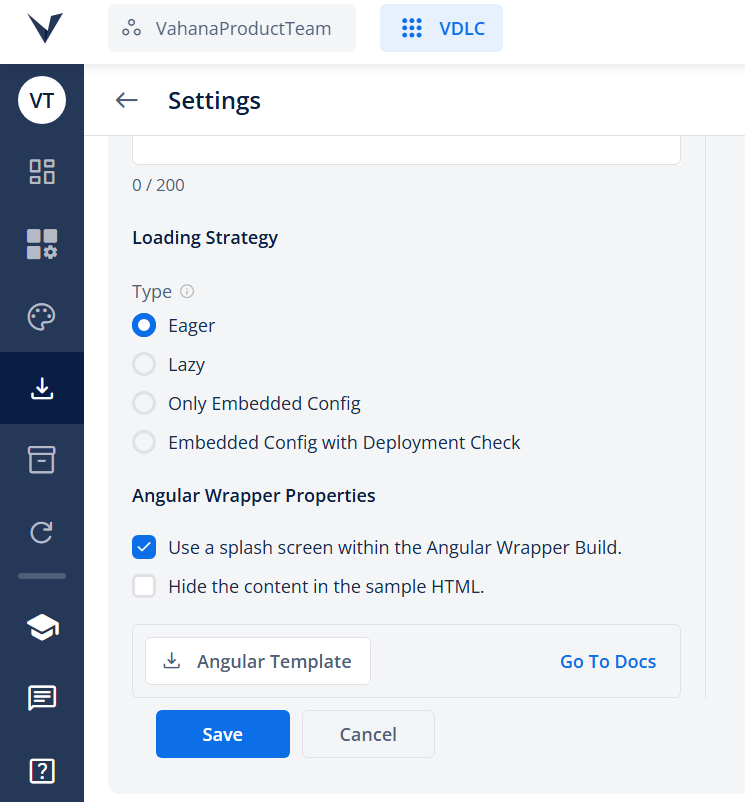
To tackle extended PWA load times in Vahana Designer 2.0, we’ve introduced an Angular Wrapper for Flutter Web builds — significantly enhancing the first-time user experience with a customizable preloader screen.
 What’s New:
- Show a custom splash screen while the Flutter app loads in the background.
- Customize the preloader using a dynamic HTML editor (text, layout, scripts, branding).
- Enable via Download Settings → Angular Wrapper Properties.
- Secure: Wrapped builds aren’t accessible via direct Flutter URLs.
 Build & Deployment:
- Option to build with Angular Wrapper in the Create Build popup.
- Sandbox builds can’t use templates.
- Production builds require separate hosting for Angular and Flutter.
- Documentation & Template Guide
Introducing General Settings & App-Level Events
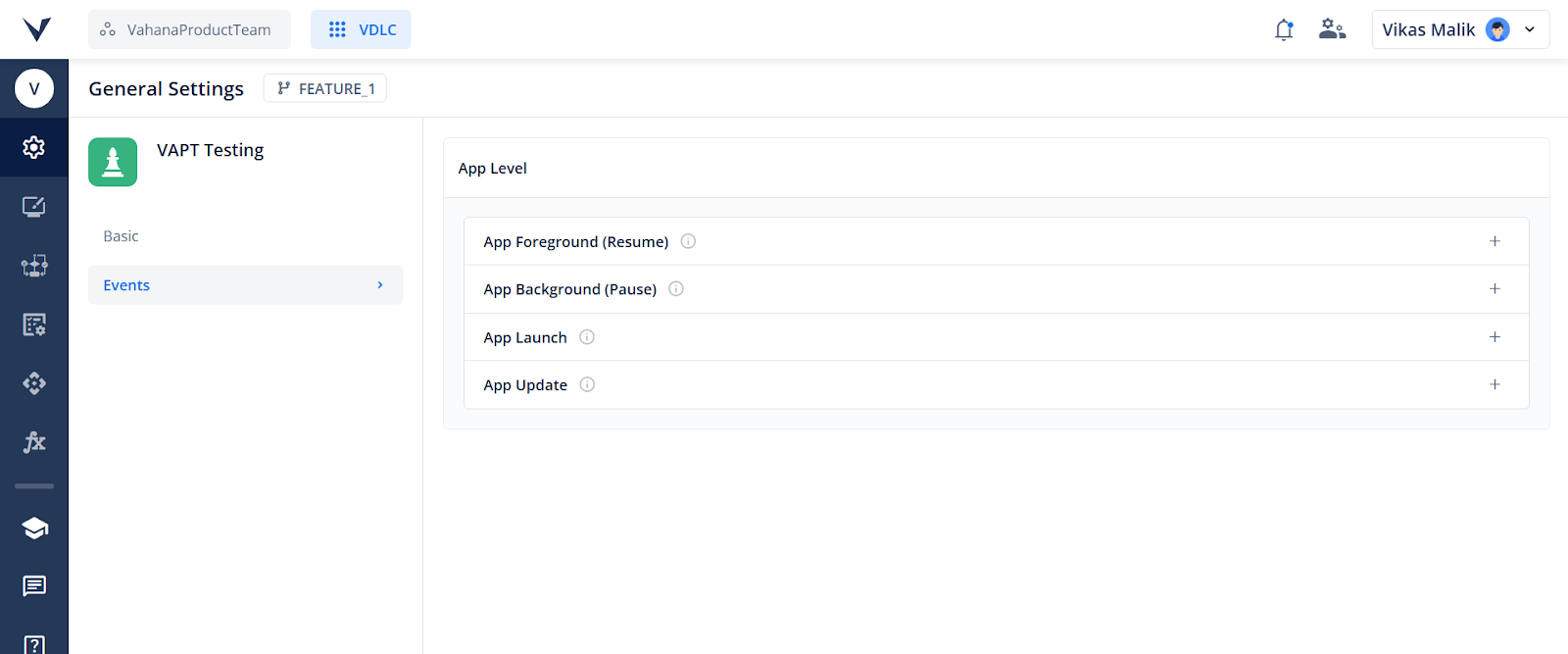
To simplify lifecycle management in Vahana Designer 2.0, we’ve introduced General Settings & App-Level Events — giving you a centralized way to configure app behaviors like session checks, background refresh, and launch triggers for a smoother, more consistent user experience.
What’s New:
-
App Overview: Get a quick snapshot of your app’s total Pages, Task Groups, APIs, and Custom Functions.
-
App-Level Event Configuration: Easily attach Task Groups to key app events: App Launch, App Background, App Foreground, App Update
Use Cases:
-
Session Checks on Launch: Verify login state and route users to login/home based on session validity.
-
Auto-Refresh on Resume: Compare background time and reload stale data to keep the app fresh.
Click here to know more.
Introducing Deep Linking Support in Vahana Designer
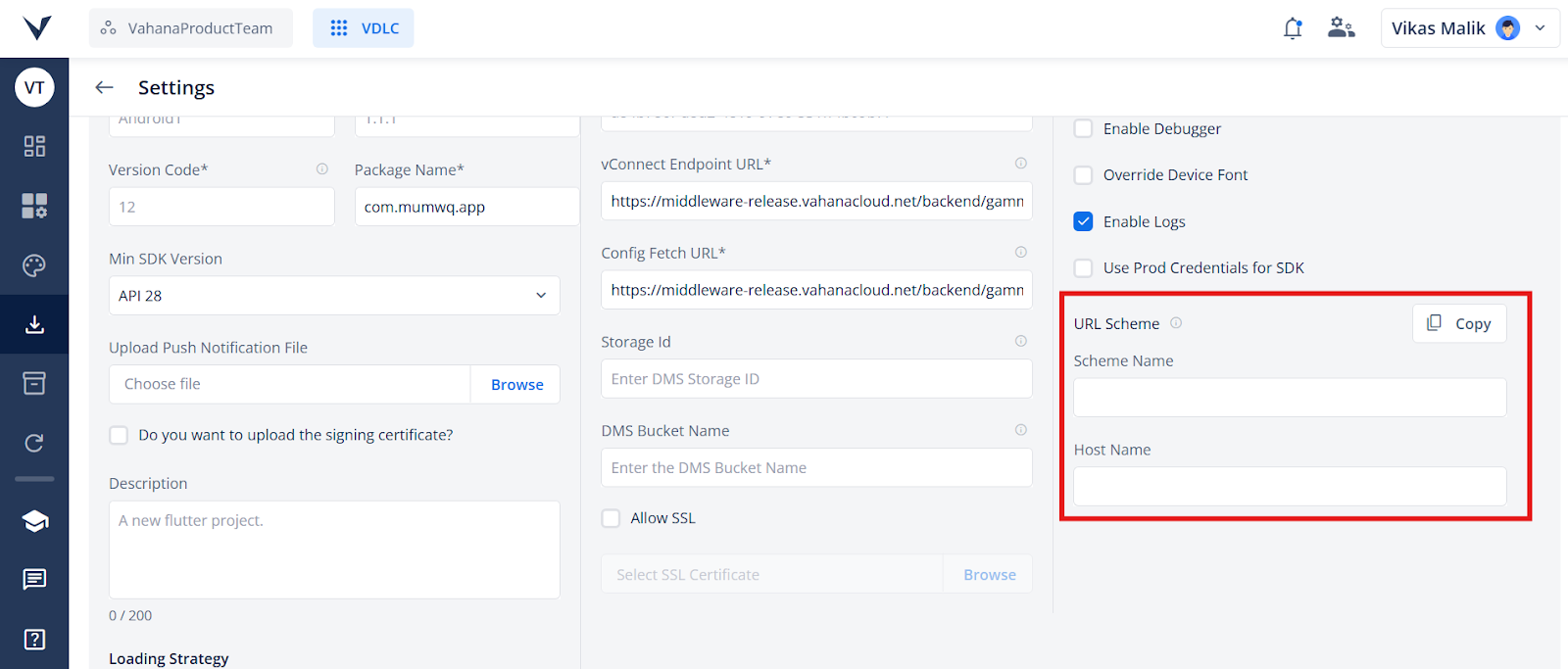
To enhance navigation flexibility and user onboarding, Vahana Designer 2.0 now supports Deep Linking, allowing apps to launch directly into specific pages — even from outside the app.
 What’s New
- Set Scheme Name and Host Name under Download > Settings > Security
- Auto-filled values based on your project name (editable)
- Copy URL Scheme option available
- Query params accessible via deepLinkParameters in the debugger
 Smart Behavior
- If the app is installed, it opens and navigates to the target page
- If not installed, redirects to the App/Play Store
Fetch Latest Config Task
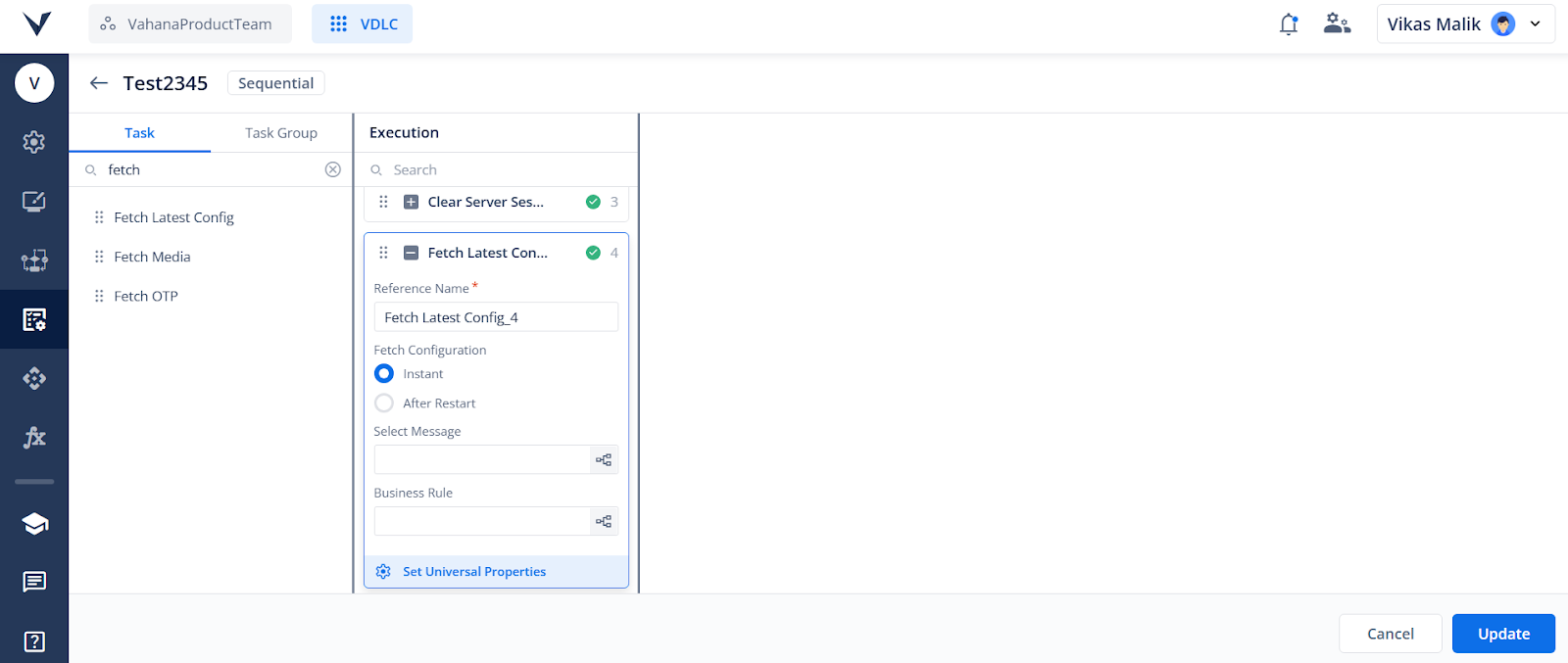
To ensure apps always run with the latest settings, we’ve introduced the Fetch Latest Config Task in Vahana Designer 2.0 — allowing applications to automatically or on-demand retrieve updated configurations from the server, improving flexibility, stability, and user experience without requiring redeployment.
What’s New
- Fetch updated configurations like feature flags, API endpoints, and UI settings from the server.
- Choose how to apply changes:
- Instant: Apply updates immediately
- After Restart: Show confirmation popup; apply changes on app restart
- Avoids outdated behavior without manual redeployment
Please note that the developer would see the config only once they return the original page rather than in realtime.
Click here to know more.
WebP Image Format Support in Vahana Designer
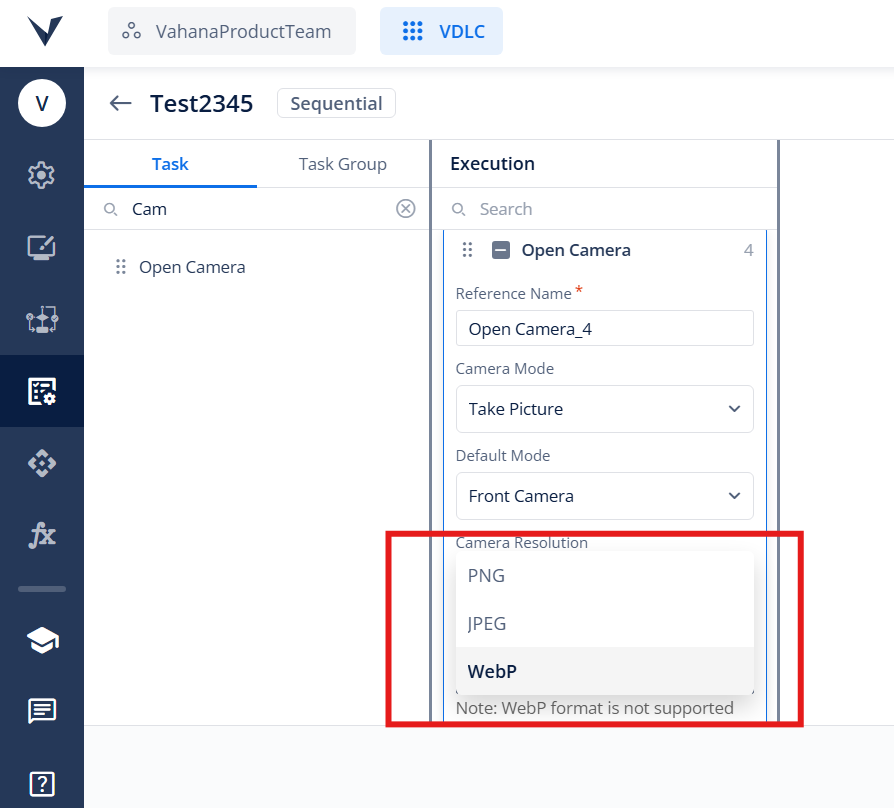
You can now capture, upload, select, and use WebP images across tasks, elements, and the Asset Manager — enabling faster load times with high-quality visuals.
What’s New
- Open Camera Task: Choose PNG, JPEG, or WebP as output format
- WebP not supported on iOS <14
- File Picker: WebP added under Custom File Types
- Images & Icons: Use WebP in Image Elements and Icons
- Asset Manager: Upload, preview, and manage WebP files
Click here to know more.
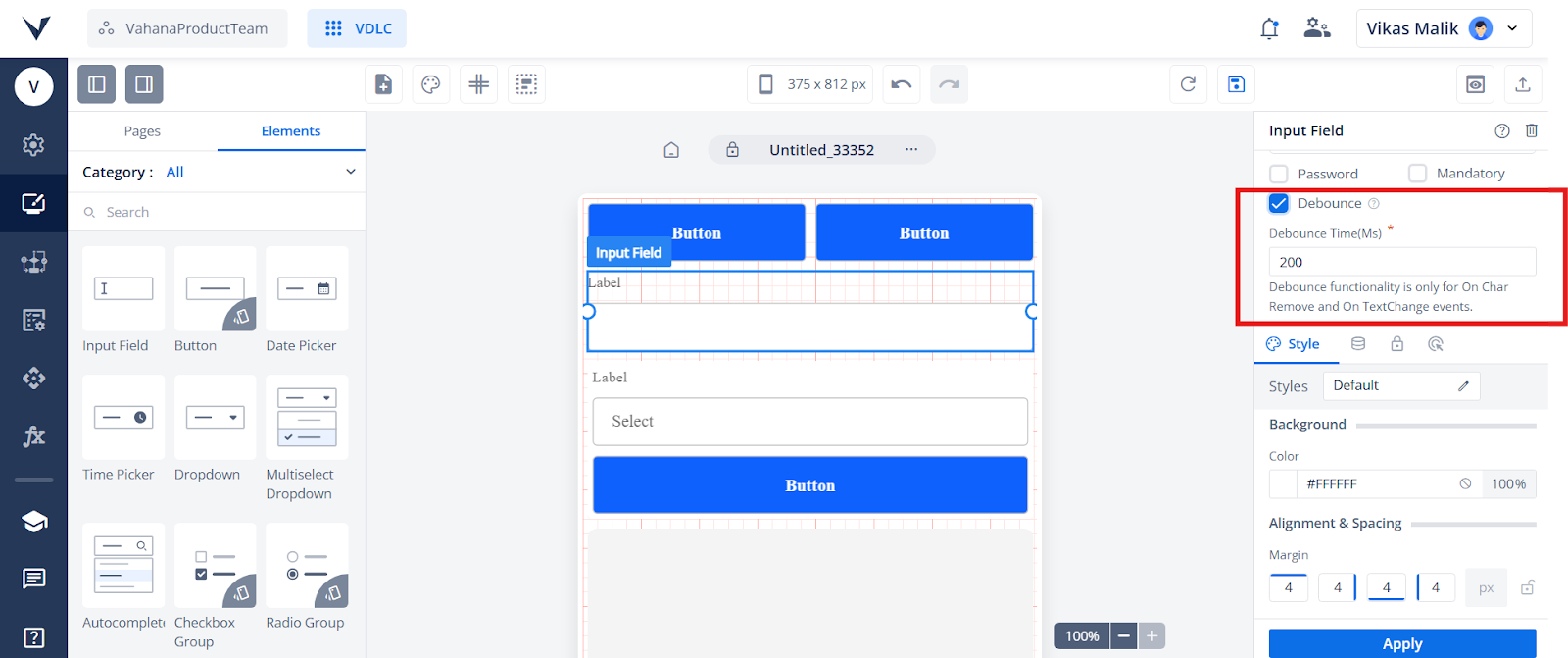
Debounce for Multiple Element’s Events
Improve performance by delaying input-triggered events using the new Debounce option in Vahana Designer 2.0. Event triggers after the configured debounce delay — reducing redundant calls and enhancing responsiveness.
Supported Elements & Events
- Input Field, Text Area → On Char Remove, On TextChange
- Autocomplete → Default event
- OTP Element → On Char Remove
Click here to know more.
 Enhancements & Improvements
 Task & Navigation Enhancements
Boosting clarity, consistency, and performance in vDesigner 2.0:
- Navigation Task: Search now filters results, selected page is highlighted & moved to top, and current page now visible for self-navigation
- Task Group Save Fix: Save button disabled after click to prevent duplicates; re-enables only on error or network failure
- Invoke API Task: Recently used API shown on top; action loader added for better feedback
- BR Listing via Task Manager: UI aligned with API listing; action loader added.
- Right Panel Heading: Shows Task Name(Sequence_number): Content Type dynamically (e.g., Navigate(2): Business Rule)
Commit Button & Branch ID Visibility
This enhancement introduces a ‘Commit’ button and displays the associated Branch ID in the header section of Business Rules, APIs, Task Groups, and Custom Functions. It streamlines version control and improves visibility during development workflows, making it easier to track changes and commit updates within the correct branch context.
Scroll Threshold Warnings for Mobile Layouts
- This enhancement introduces real-time scroll detection and user alerts to help developers design better mobile experiences. Two new dialogs will notify users when their page design exceeds 70% of the ideal mobile screen height or crosses the 812px mobile height limit.
- Users can choose to disable scrolling manually, but warnings will ensure informed decisions when layout size risks degrading UX on smaller devices. This provides greater layout control and helps maintain optimal mobile usability.
Click here to know more.
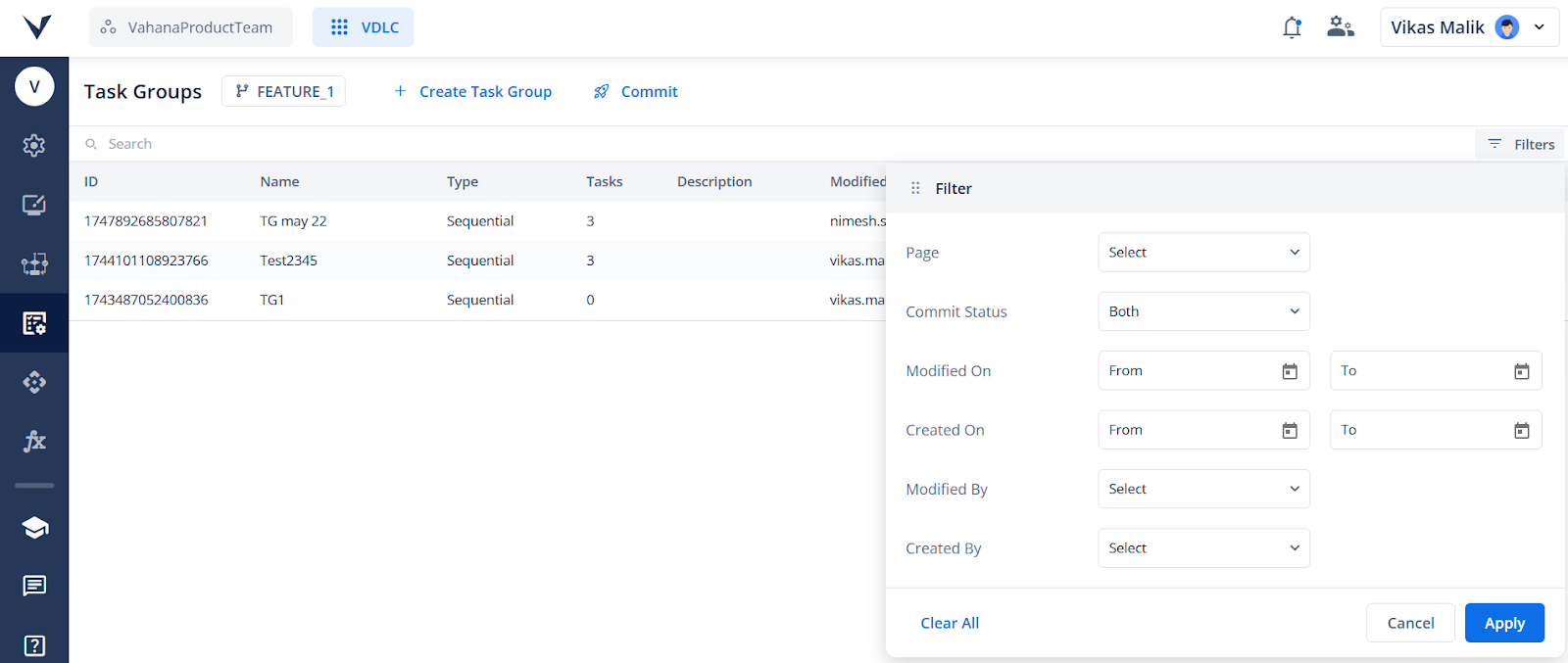
Filter Options in L1 Components
Added filter functionality to Task Groups, APIs, and Custom Functions in Designer 2.0, enabling users to quickly search, navigate, and manage components with greater ease and efficiency.
Interchangeable Data Tiles in Copy Data Task
Improved the Copy Data Task UI by enabling seamless interchange of data tiles, allowing users to map and configure data more flexibly for a smoother and intuitive experience.