How can I implement functionality to add or remove values from my list with a button click, using array manipulation techniques?
To configure the Array Manipulation task in vDesigner 2.0, please follow the steps outlined below:
-
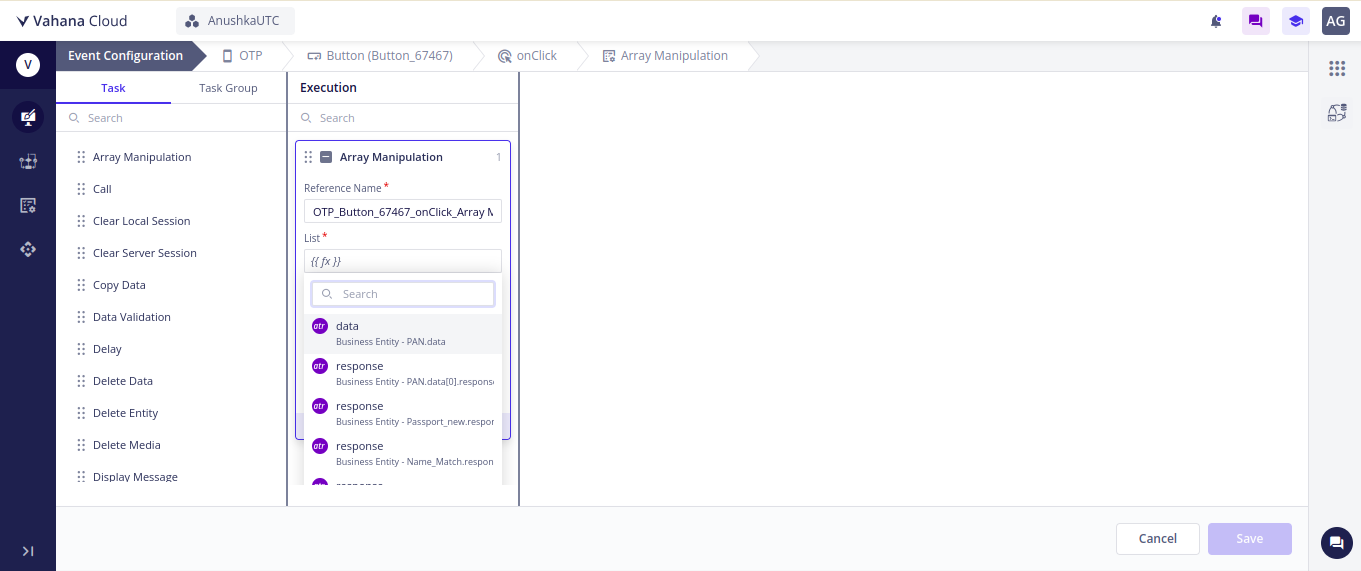
Add a Button Element: Drag a button element onto the canvas to initiate the array manipulation with a click event.
-
Create and Map Task Group: Utilize the Onclick event to create a task group. Map the array manipulation task within this group.
-
Task Configuration:
- List Parameter: Map the entity where the list’s data is stored. If the data is retrieved from an API, ensure that the API response is stored in the entity and mapped to the List parameter. For static data, ensure the JSON format is correct.
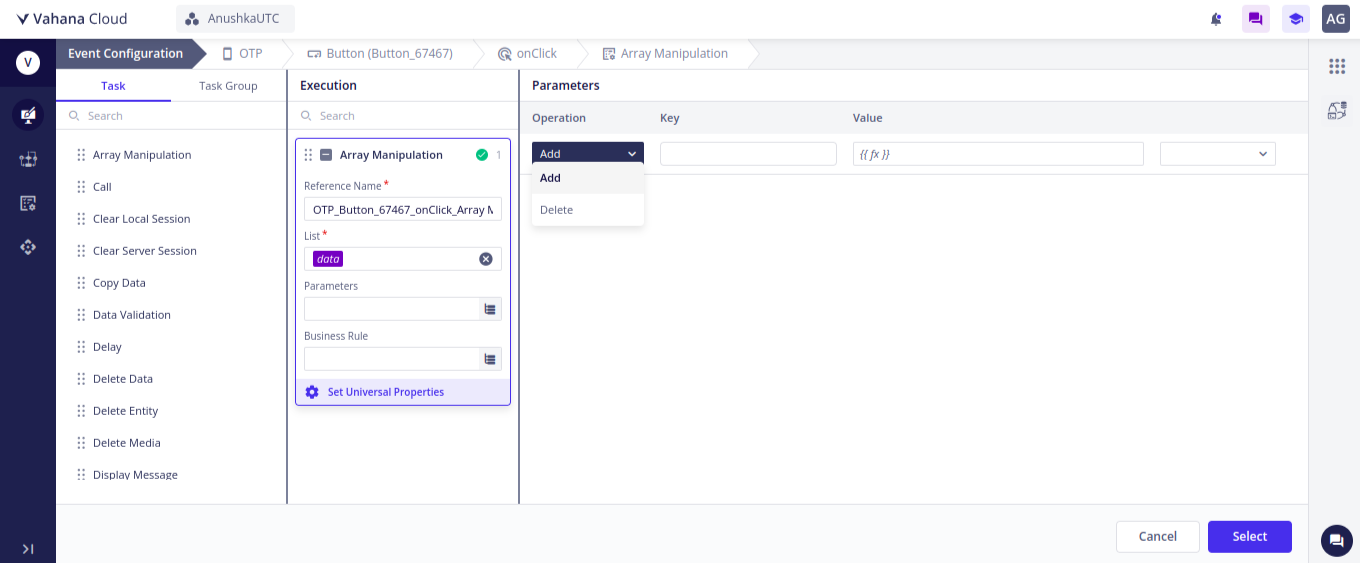
- Parameter: Select the operation you wish to perform, either add or delete.
- Key: Specify the JSON key to be manipulated.
- Value: If you need to add or delete a key with a specific value, provide the value in this parameter.
- Data Type: Choose the appropriate data type for the Key-Value pair.
By following these steps, you will successfully configure the Array Manipulation task in vDesigner 2.0.
2 Likes