How to show the different custom messages while login success and login failure in vFlow ?
To show different custom messages while login please follow the below steps:
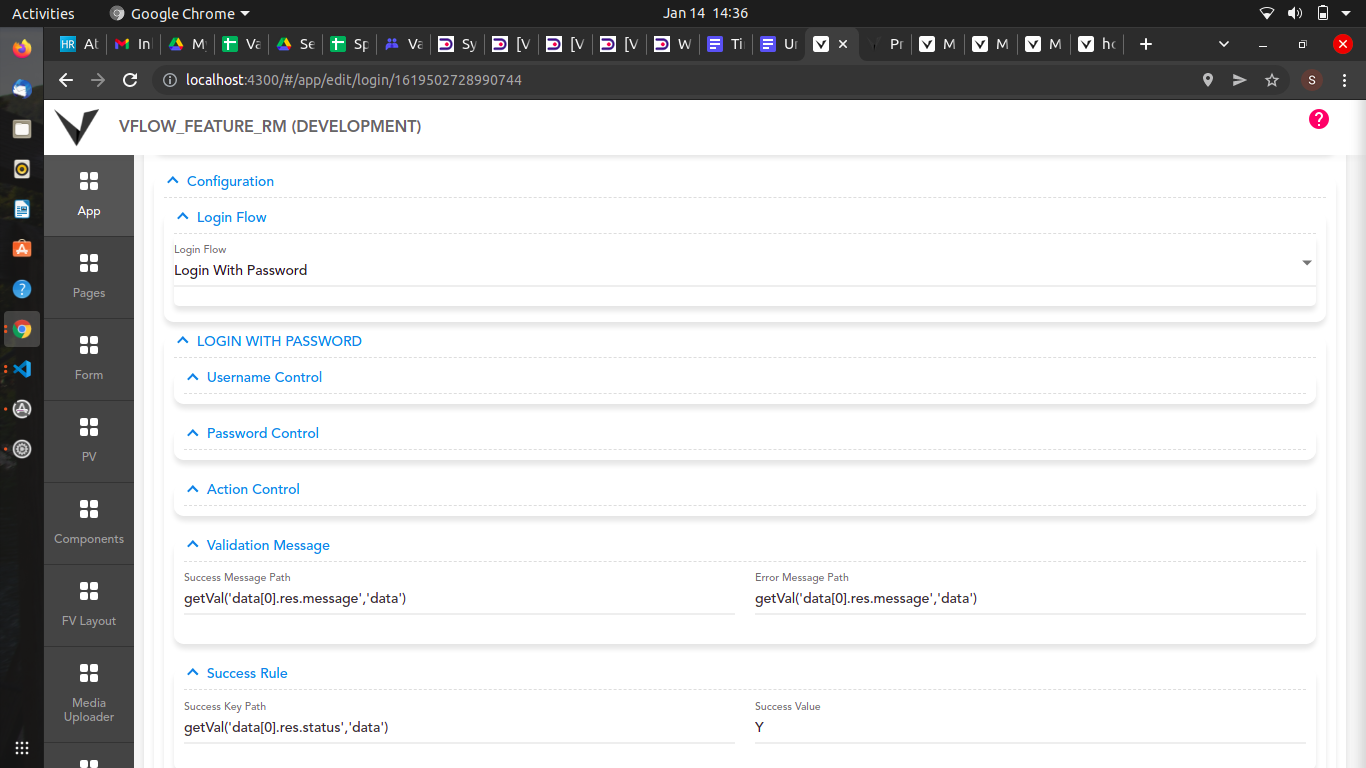
For Login Custom Page:
- Go to the App tab and navigate to Custom Pages.
- Open Login Custom Entity, go to configuration section, validation message and mention the message path.
- To validate using the success rule, go to the success rule section, mention Success Key Path and mention its value in Success Value.
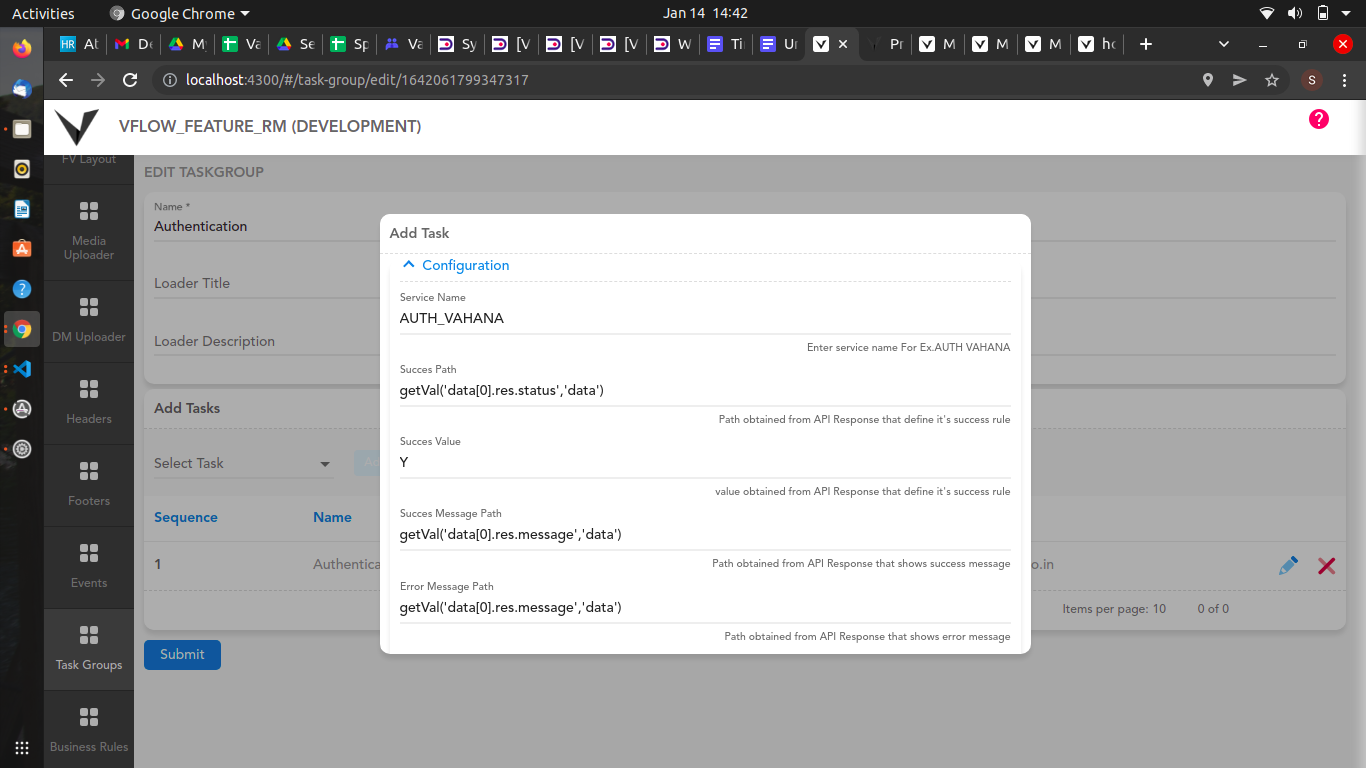
For Authentication Task:
- Go to the Task Group tab, open the Authentication task and go to the configuration section and mention the message path.
- For validation using success path, mention Success Key Path and mention its value in Success Value.
1 Like