How to create Employee in Admin Portal?
All the screenshots are added below For referance.
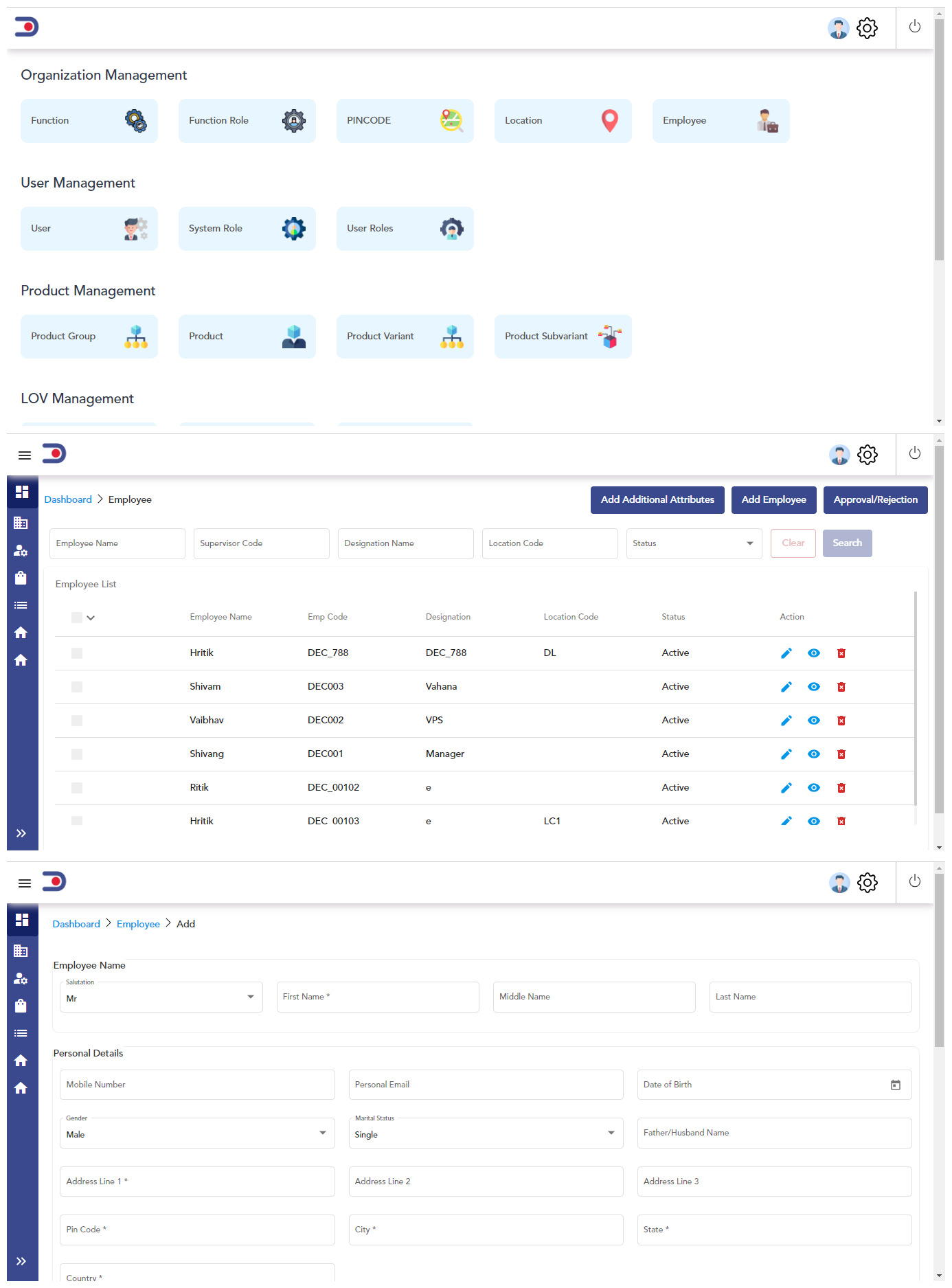
After login in admin portal you will see the dashboard
Click on the "EMPLOYEE "
After clicking on Employee you will redirect to another tab which is added in below screenshot
Now Click on “ADD EMPLOYEE”
After clicking on “Add Employee” you will redirect to another tab which is added in below screenshot
Fill All the required field in the tab like employee name,employee code,designation etc
click on SAVE and your Employee will be Added on Admin portal .