for example if we select AKUCS0176M IN INPUT field then on the basis of 4th element C
the company and three fields should populate in dropdown but if we input AKUPR0176M
then on the baiss of 4th element P the Partnership and three other field should populate same for any other pan type.
To achieve this scenario, you can proceed in two ways:
- You can configure an invoke function to get a particular journey constitution based on the 4th character.
- You can use multiple dropdowns, making them visible/invisible based on the 4th character.
@Neeraj_Kumar, Please add your insights to this query.
1 Like
Hi @Vishwajeet_Singh ,
Actually, this can also be done using an enum.
-
I have taken one input field and one dropdown.
-
In the input value property of the dropdown, I have mapped a list present inside an entity, whose JSON is like:
“InputField_69535_data”: [
{
“code”: “string”,
“value”: “string”
}
] -
I created three enums and business rules (BRs). Here, I have taken scenarios for P, C, and F like:
and the same for C and F. -
Now, I created a task group on the input field’s text change event.
-
Then, I used a copy data task to copy the enum data to the list present inside the entity and reloaded the dropdown.
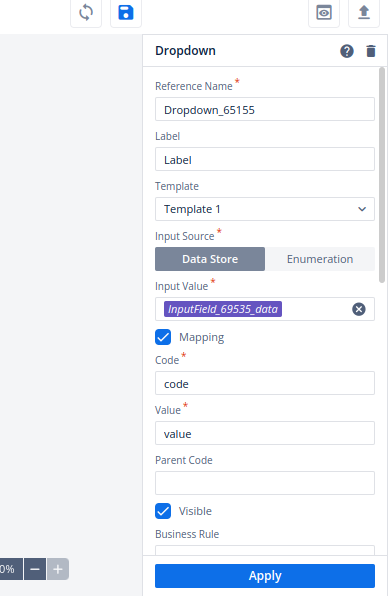
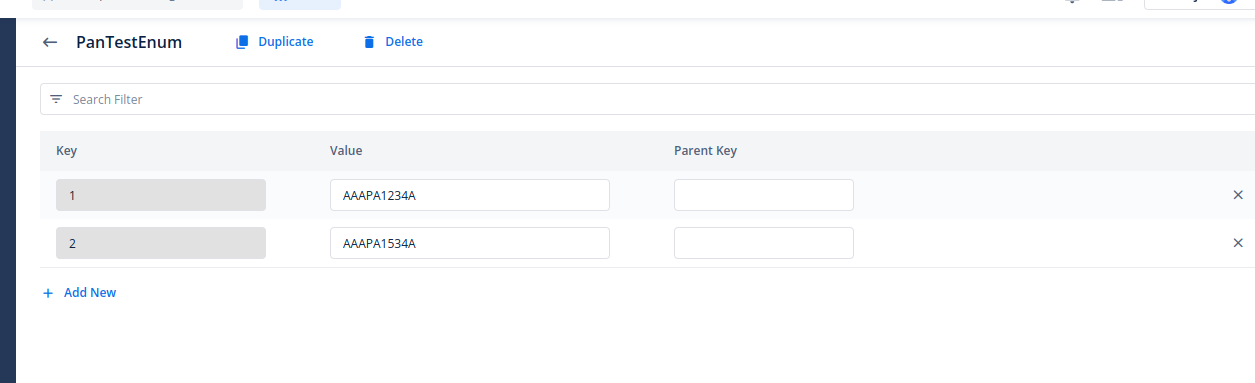
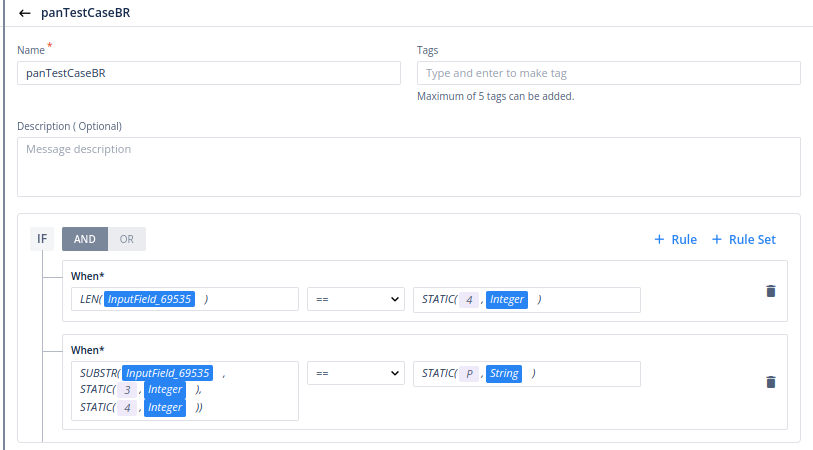
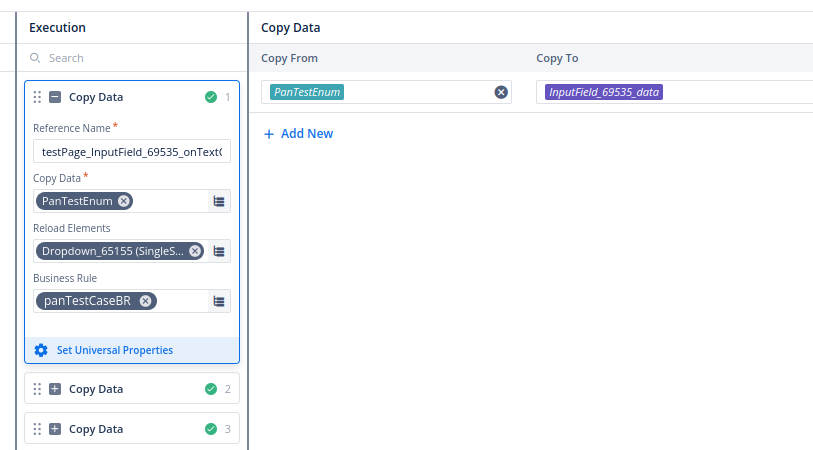
So, this is how you can achieve your scenario.
11 Likes